

Learning how to make 3D models is an exciting journey that begins with choosing the right software for your skill level. By mastering basic shapes, practicing digital sculpting, or using photogrammetry, you can quickly turn your creative ideas into realistic three-dimensional assets. With patience and the right tools, anyone can transition from a beginner to a confident 3D designer.
Have you ever looked at a video game, an animated movie, or a cool 3D-printed toy and wondered how they were built? Maybe you have a great idea for a product but do not know how to bring it to life on a computer screen. The good news is that you do not need to be a math genius or a professional artist to start. Anyone can learn how to create digital objects from scratch.
In fact, the world of digital design is more open than ever before. With free tools, helpful online communities, and simple guides, you can start building your first object today. We will walk you through the basic steps, the best software, and some easy tips to help you master this fun skill. Let us dive into the creative world of digital art and learn how to make 3D models.
Key Takeaways
- Start with basic shapes: Every complex 3D model begins with simple forms like cubes, spheres, and cylinders.
- Pick the right software: Tinkercad is perfect for kids and beginners, while Blender is the best free professional tool.
- Keep a clean layout: Clean topology makes your models easier to edit, texture, and animate.
- Use real-life references: Always collect photos or drawings of your object before you start modeling.
- Practice makes perfect: Start with small, daily projects like a coffee mug or a simple table before moving to characters.
Quick Answers to Common Questions
What is the easiest software for a beginner to use?
Tinkercad is the easiest software for beginners because it runs in your browser and uses basic shapes to build models.
Can I learn 3D modeling for free?
Yes, you can learn completely for free using open-source software like Blender and free tutorials on YouTube.
Do I need a strong computer to make 3D models?
You do not need a powerful computer to start, but a decent graphics card and a good processor will make rendering and sculpting much faster.
How long does it take to learn 3D modeling?
You can learn the basic tools in just a few days, but mastering professional modeling and sculpting usually takes several months of practice.
Can I 3D print the models I make?
Yes, you can export your models as STL or OBJ files, which can be sliced and printed on any standard 3D printer.
📑 Table of Contents
Understand the Different Methods of 3D Modeling
Before you open any software, it helps to know that there are different ways to build objects in a virtual space. Think of these as different art tools. You might use clay for one project and wood for another. Here are the three most common ways to design your objects.
Polygonal Modeling
This is the most common method used in games and movies. In polygonal modeling, you build objects using points, lines, and flat shapes. These shapes are called vertices, edges, and faces. You connect them to form a mesh. It is a lot like building a model with digital cardboard. You can stretch, pull, and shape these faces to create almost anything.
Digital Sculpting
If you love working with clay, you will love digital sculpting. Instead of moving points and lines, you use a digital brush to push, pull, pinch, and smooth a virtual ball of clay. This method is perfect for organic shapes like monsters, animals, and human faces. It lets you add amazing details like skin pores, wrinkles, and hair.
Parametric and CAD Modeling
Computer-Aided Design (CAD) is highly precise. It uses exact measurements and math to create objects. Instead of artistic shapes, you use real-world numbers, angles, and dimensions. This method is the standard for engineers, product designers, and architects. If you want to design a replacement part for your sink, this is the method you will use.
Choose Your 3D Modeling Software
Your choice of software depends on your goals, your budget, and your computer. You do not need to spend money to start. Many of the best tools are completely free to use. To learn more about this journey, you can read these free 3D modeling tutorials on Instructables which show how to progress without spending a dime.
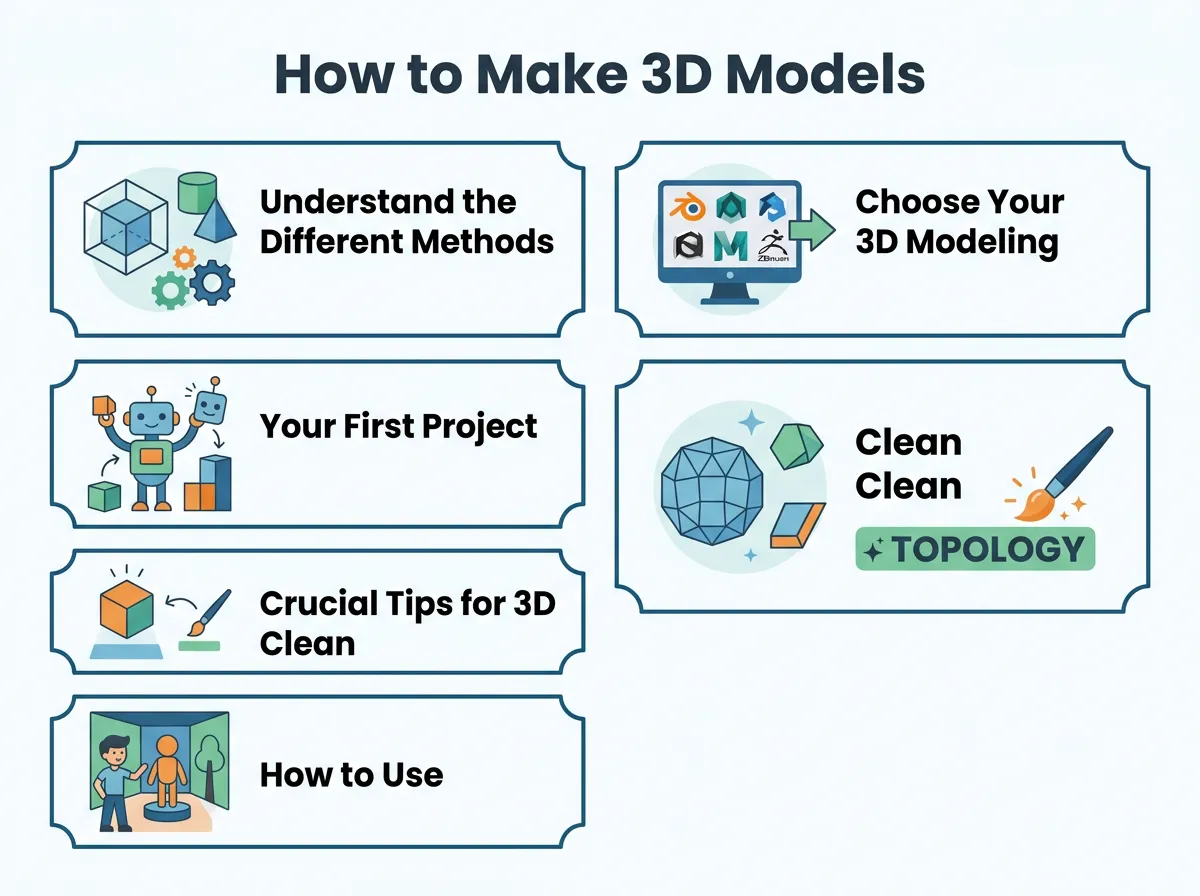
How to Make 3D Models? — key points at a glance
Tinkercad: Best for True Beginners
Tinkercad is a free, web-based tool made by Autodesk. It is very simple and runs right inside your internet browser. You do not even need to install anything. You build objects by combining basic shapes like blocks, cones, and cylinders. It is the perfect place to learn the basics of spatial design and 3D printing.
Blender: The Ultimate Free Professional Tool
Blender is a powerful, open-source program that is completely free. It can do everything: modeling, sculpting, animation, rendering, and even video editing. Because it has so many tools, it can feel a bit scary at first. However, it has one of the largest online communities in the world. You can find thousands of free video tutorials to help you learn how to make 3D models with Blender.
Fusion 360: Great for Practical Designs
Fusion 360 is another tool from Autodesk. It is free for hobbyists and startups. It is a CAD program, which makes it ideal for functional parts. If you want to design objects that need to fit together perfectly in real life, Fusion 360 is the tool for you.
Your First Project: A Step-by-Step Guide
Now that you know the tools, let us look at how to build your very first object. For beginners, a great first project is a simple coffee mug. It uses basic shapes but teaches you the core tools. You can also check out this ultimate guide to 3D modeling on Skillshare for deeper design concepts and step-by-step projects.
Step 1: Gather References
Never start a project from memory alone. Look at a real mug on your desk. Take pictures of it from the front, side, and top. These pictures are your reference images. You can import these images into your software to use as a background guide. This keeps your proportions correct.
Step 2: Block Out the Main Shape
Start with a simple shape that looks most like your object. For a mug, a cylinder is the perfect start. Place the cylinder in the center of your screen. Scale it until it is the right height and width. This phase is called blocking. Do not worry about details yet. Just focus on the main size and shape.
Step 3: Extrude and Inset
To make the mug hold coffee, you need to make it hollow. Select the top face of your cylinder. Use the “Inset” tool to create a slightly smaller circle inside the top face. Next, use the “Extrude” tool to push that new inner circle down into the cylinder. This creates the inside cavity of your mug.
Step 4: Add the Handle
Now, select two faces on the side of your mug, one near the top and one near the bottom. Extrude them outward. Then, curve them toward each other and bridge them together to form a handle. You now have a basic 3D mug!
Crucial Tips for Clean 3D Modeling
As you practice how to make 3D models, you will run into common problems. Your model might look strange when you try to light it, or it might crash your software. Here are some simple tips to keep your projects clean and professional.
Focus on Clean Topology
Topology refers to the flow of lines on your model. Try to stick to four-sided shapes, which are called quads. Avoid shapes with more than four sides, often called n-gons. Quads bend and smooth much better than other shapes. Clean topology makes your models look realistic and prevents weird shadow glitches.
Do Not Overcomplicate Things
It is easy to add too many details too quickly. Keep your polygon count low for as long as possible. A low-polygon model is much easier to shape and edit. You can always add more detail later. If you add too many points early on, your model will become hard to manage.
Learn the Hotkeys
Using your mouse to click on every single tool will slow you down. Spend some time learning the keyboard shortcuts for your chosen software. Simple keys for grabbing, rotating, and scaling will save you hours of work. Once you learn them, modeling will feel as natural as drawing with a pencil.
How to Use Your Finished 3D Models
Once you finish your model, the fun does not stop there. There are many ways to use your digital creations in the real and virtual worlds. If you are interested in physical manufacturing, you can read this practical guide on creating your own 3D models from Prusa to see how to prepare your designs for the printer.
3D Printing
One of the most rewarding parts of this hobby is holding your creation in your hand. You can export your model as an STL file. Then, load it into a slicer program to prepare it for your 3D printer. This lets you turn virtual concepts into real, plastic objects.
Video Games and Animation
You can import your models into game engines like Unity or Unreal Engine. This lets you build your own games. You can also add bones to your models to make them move and animate. This is how digital characters are brought to life in games and animated movies.
Conclusion
Learning how to make 3D models is a highly rewarding skill. It combines creativity, logic, and design. Do not feel discouraged if your first few models do not look perfect. Every great digital artist started with simple shapes. Pick a user-friendly program, take your time, and enjoy the process of creating. With practice, you will soon be building beautiful, complex worlds of your own.
Frequently Asked Questions
What is the difference between low-poly and high-poly models?
Low-poly models use fewer polygons, which makes them lightweight and ideal for real-time video games. High-poly models contain millions of polygons to capture extreme detail, which is perfect for movie special effects and close-up renders.
Is Blender really free to use?
Yes, Blender is completely free and open-source. You can use it for personal projects, school work, and even commercial projects without ever paying a fee.
What are vertices, edges, and faces?
Vertices are the single points in 3D space, edges are the lines that connect these points, and faces are the flat surfaces enclosed by the edges. Together, these three elements form the mesh of your 3D model.
Do I need drawing skills to make 3D models?
While drawing skills can help you understand anatomy and design, they are not required. 3D modeling relies more on spatial awareness, understanding shapes, and learning the software tools.
What is photogrammetry?
Photogrammetry is a method where you take multiple photos of a real-world object from different angles and use software to stitch them into a highly realistic 3D model. It is a fast way to digitize real objects.
Can I make money with 3D modeling?
Yes, you can sell your models on digital marketplaces, work as a freelance designer, or find jobs in industries like gaming, animation, architecture, and product design.
