


Creating STL files is a straightforward process that begins with choosing the right 3D modeling software, such as Tinkercad or Fusion 360. Once you design your 3D model, you simply export or convert the file into the STL format. This file can then be loaded into a slicer program to prepare it for 3D printing.
Have you ever seen a cool 3D print and wished you could make your own? Maybe you want to print a custom toy for your kids. Or perhaps you need a unique bracket to fix a broken shelf. The world of 3D printing lets you make almost anything you can imagine. But to get started, you need a map for your printer. That map is a digital file, and the most common format is the STL file.
Many people search for how to create STL files? when they buy their first machine. At first, making your own 3D designs might seem very hard. You might look at complex software and feel lost. But do not worry. Learning how to create STL files? is much easier than it looks. You do not need to be a math genius or a professional artist to start. With the right tools and a little practice, anyone can do it.
In this guide, we will show you exactly how to design and make these files. We will cover the best free software for beginners. We will also share simple steps to build your first model. By the end of this post, you will know how to create STL files? and get them ready for your 3D printer.
Key Takeaways
- Software Choice: You can use CAD programs like Tinkercad for beginners or Fusion 360 for advanced designs.
- Mesh Quality: High-quality STL files require a clean, water-tight mesh structure without holes.
- Exporting: Most 3D design software lets you export directly to the STL format with one click.
- Conversion: If you have 2D images or other 3D files, you can convert them using online tools.
- Slicing Ready: The final STL file acts as the bridge between your design and your 3D printer’s slicing software.
Quick Answers to Common Questions
Can I make STL files for free?
Yes, you can use free online tools like Tinkercad or free software like Blender to create STL files without spending any money.
What is the best software for beginners to make STL files?
Tinkercad is the best software for beginners because it is free, easy to use, and runs directly in your web browser.
Can I convert a JPG image into an STL file?
Yes, you can convert a JPG to an SVG vector file first, and then import it into Tinkercad to turn it into a 3D STL file.
Do STL files contain color?
No, STL files only save the 3D geometry and shape of an object, not its color or texture.
What is the difference between an STL file and an OBJ file?
An STL file only stores the 3D shape as a simple triangle mesh, while an OBJ file can also store color, texture, and other details.
📑 Table of Contents
What is an STL File?
Before we build anything, we should know what we are making. An STL file is the standard file format used for 3D printing. The letters STL stand for stereolithography. This format saves your 3D object as a mesh of triangles. The printer reads these triangles to know where to lay down plastic.
The Language of 3D Printers
Think of an STL file as a digital sculpture. It does not save color or texture. It only saves the shape of your object. The surface of your model is covered in tiny triangles. A simple box might only need a few triangles. A round ball will need thousands of triangles to look smooth. If you want to learn more about how this works, you can read this detailed overview of the STL format. It explains how these files store 3D shapes.
Why We Use STL Files
Almost every 3D printer in the world can read STL files. It is the universal language of making. Once you have an STL file, you can share it with friends. You can also upload it to online libraries for others to print. Knowing how to create STL files? opens up a whole world of sharing and making.
Choose Your 3D Modeling Software
To make a 3D model, you need a computer program. There are many options available today. Some are completely free and run right in your web browser. Others are professional tools that cost money. There are two main routes when considering how to create STL files? for your projects.
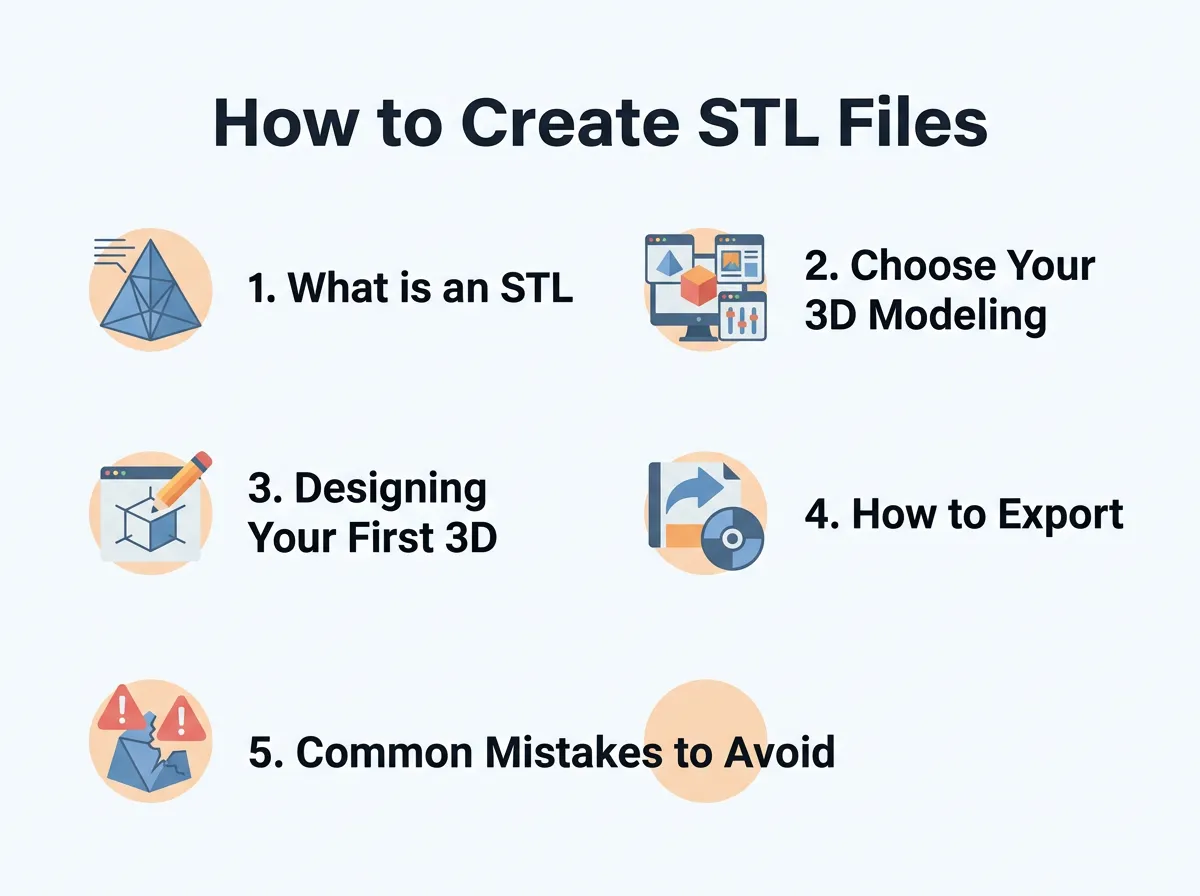
How to Create STL Files? — key points at a glance
When learning how to create STL files?, your first step is choosing the right design tool for your skill level. You want something that matches your current ability but still gives you room to grow.
Beginner-Friendly Options
If you are trying to figure out how to create STL files?, Tinkercad is the best starting line. It is a free tool made by Autodesk. Tinkercad runs in your web browser, so you do not have to download anything. It uses simple shapes like boxes and cylinders. You can drag, drop, and group these shapes to build complex objects. It is very easy to learn. Children and adults use it every day to make amazing prints.
Intermediate and Advanced Tools
If you want to make more complex parts, you will need advanced software. Fusion 360 is a great choice. It is free for hobbyists and very powerful. It lets you draw precise 2D sketches and turn them into 3D objects. If you like making organic shapes like characters or sculptures, Blender is a fantastic free option. To help you choose, check out these educational guides on 3D design software for different projects.
Designing Your First 3D Model
Now you have your software ready. It is time to start designing. Let’s look at how to create STL files? using simple design steps that ensure success on your printer.
Step-by-Step Design Tips
Start with a flat base. Your 3D printer needs a flat surface to stick to the print bed. If your model has a flat bottom, it will print much better. Next, avoid steep overhangs. 3D printers cannot print in mid-air. If your design has parts that stick out, they might need support structures. Try to design your parts with 45-degree angles to avoid this issue.
Making Sure Your Design is Water-Tight
This is a key concept when studying how to create STL files? that print well. Your 3D model must be manifold or water-tight. Imagine filling your digital model with water. If any water leaks out, the printer will get confused. This means your model cannot have open gaps or stray lines. All the edges must connect perfectly. You can learn more about this by reading about best practices for high-quality STL exports online. It will save you from failed prints.
How to Export and Convert Files to STL
Once your model looks perfect, you need to save it. Knowing how to create STL files? also means knowing how to export them correctly from your design program.
Direct Exporting from CAD
In most programs like Tinkercad or Fusion 360, this is very easy. Look for the “Export” or “Save As” button. Select “STL” from the list of file formats. Some programs will ask you for the resolution. Choose “Medium” or “High” for a smooth print. Do not choose “Ultra High” or your file size will be too big. A very large file can make your computer slow down.
Converting 2D Images to 3D
What if you want to turn a flat drawing into a 3D print? Many online forums discuss how to create STL files? from photos. You can convert a 2D image like an SVG file into an STL file. Upload your SVG file into Tinkercad. The software will automatically give it height. This is perfect for making custom keychains, logos, or cookie cutters. If you want more tips on this process, you can read about how to make 3D files for printing from flat designs.
Common Mistakes to Avoid
If you want to master how to create STL files?, you must watch out for common design errors. Even pros make these mistakes sometimes. Knowing them will save you a lot of time and plastic.
Wrong Scale and Units
STL files do not save units of measurement. They only save numbers. If you design a part in millimeters, your slicer might read it as inches. This can make your model 25 times too big! This scale problem is a classic hurdle when learning how to create STL files? for the first time. Always check your software units before you start drawing. It is best to stick to millimeters for 3D printing.
Thin Walls and Tiny Gaps
Your printer nozzle has a specific width, usually 0.4 millimeters. If you design a wall that is thinner than your nozzle, the printer will ignore it. Make sure all your walls are thick enough to print. A good rule is to make walls at least 1.2 millimeters thick. Also, avoid tiny gaps that the printer cannot reach.
Next Steps: Slicing Your STL File
Once you know how to create STL files?, the next step is slicing. You cannot send an STL file directly to a 3D printer. The printer does not understand 3D meshes. It needs G-code, which is a set of instructions for movement.
Preparing for the Printer
To turn your STL file into G-code, you need a slicer program. Cura and PrusaSlicer are two very popular and free options. You load your STL file into the slicer. The slicer cuts your model into thin horizontal layers. It calculates how much plastic to use and how fast to move. Once the slicer is done, you save the G-code to an SD card or send it over Wi-Fi to your printer.
Conclusion
Learning how to create STL files? is a fun and rewarding skill. It lets you go from an idea in your head to a real object in your hand. Start with simple shapes in Tinkercad. Practice making water-tight designs. Soon, you will be designing complex parts with ease. Grab your computer, open up a design tool, and start creating today!
Frequently Asked Questions
How do I open and view an STL file?
You can open and view STL files using free viewers like Autodesk Viewer or 3D Builder on Windows. Slicing programs like Cura or PrusaSlicer can also open them so you can see the 3D model.
Why is my STL file empty when I open it?
This usually happens if the model was not properly grouped or saved in your CAD program before exporting. Make sure all shapes are combined into a single solid object and try exporting again.
How can I edit an existing STL file?
You can import the STL file into a mesh editor like Blender or Meshmixer to make direct changes. For simple cuts or scale changes, you can also use Tinkercad.
What resolution should I choose when exporting to STL?
You should choose a medium or high resolution setting in your design software. Avoid ultra-high settings, as they make the file size too large without adding noticeable quality to the final print.
Why does my STL file look blocky on the printer?
This happens when the export resolution is set too low, which makes the triangle mesh visible. Re-export your file with a higher resolution or deviation setting in your design software.
Can I use mobile apps to create STL files?
Yes, there are several mobile apps like Shapr3D or Nomad Sculpt that let you design 3D models on tablets and export them as STL files.
