


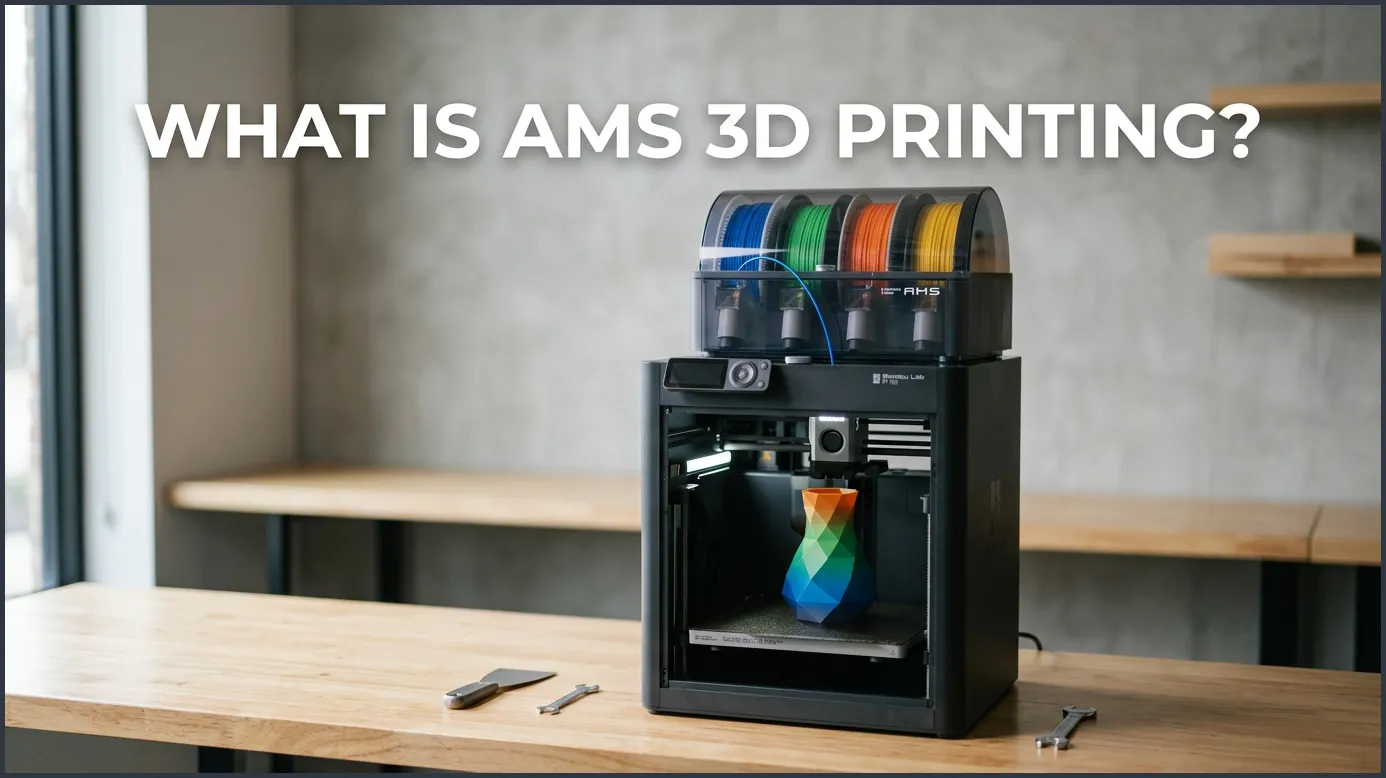
AMS 3D printing refers to using an Automatic Material System, pioneered by Bambu Lab, to print in multiple colors and materials. This smart accessory automatically feeds, retracts, and manages up to four different filament spools during a single print run. It eliminates manual filament swaps, keeps your materials dry, and opens up endless creative design possibilities.
Have you ever watched a 3D printer work? It is truly magical. It builds things layer by layer, right before your eyes. But for a long time, most home printers had a big catch. They could only print in one color at a time. If you wanted a colorful toy, you had to stop the print. You had to pull the old plastic out. Then you had to feed the new plastic in. It was slow, boring, and easy to mess up. Many makers dreamed of an easier way to bring color to their creations.
Then came a big change. A company called Bambu Lab introduced a tool called the Automatic Material System, or AMS. This smart device changed how we think about making things at home. It handles all the hard work of swapping colors for you. But how does this technology actually work, and why is it such a big deal for makers? Let us dive into the details of this printing system.
In this guide, we will explore everything you need to know about this setup. We will look at how it works, its best features, and its pros and cons. You will also get some handy tips to make your prints look amazing. Let us get started and answer the big question on your mind.
Key Takeaways
- Automatic Color Swaps: The system changes filament colors automatically mid-print for beautiful, colorful designs.
- Sealed Dry Box: Built-in silicone seals and desiccant slots protect your filament from ambient moisture.
- Smart Material Tracking: RFID sensors read Bambu filament spools to set up your print settings instantly.
- Spool Backup System: It automatically switches to a fresh backup spool when the current one runs empty.
- Scalable Setup: You can link up to four separate units to print with sixteen different colors at once.
Quick Answers to Common Questions
Can you use third-party filaments in the AMS?
Yes, you can use third-party filaments, but they must fit the spool size requirements and should ideally be on plastic spools.
Does the system automatically dry wet filament?
No, the system acts as a sealed dry box to keep dry filament from getting wet, but it cannot actively dry wet plastic.
Can you connect more than one AMS unit to a printer?
Yes, you can connect up to four units together using a special hub to print with up to sixteen colors.
What happens if a filament gets stuck inside the tubes?
The printer will pause and alert you, allowing you to easily open the push-fit connectors and remove the stuck piece.
Is AMS printing louder than normal printing?
It is slightly louder only during filament changes due to the motors winding the spools and feeding the lines.
📑 Table of Contents
How Does the Automatic Material System Actually Work?
To understand the system, we first need to look at its design. The unit sits on top of or next to your printer. It is a sealed box that holds up to four spools of plastic filament. Each spool has its own slot with drive rollers. These rollers can spin the spool forward or backward. This simple movement is the key to the whole process.
When you start a print, the system feeds the chosen filament through long, thin plastic tubes. These tubes lead straight to the printer head. The printer head has a tiny knife inside. When it is time to change colors, the printer cuts the current filament. It then retracts the plastic all the way back to the box. Next, the rollers spin a new spool. They push the new color forward into the printer head. You can find out more about this process by reading this detailed guide on what is AMS 3D printing to see how it integrates with the machine.
The Hub and Feeder Mechanics
Each of the four slots has its own motor and sensor. The sensor feels if filament is present. When you push a line of plastic in, the motor grabs it. It feeds it to a central hub inside the unit. This hub acts like a traffic cop. It makes sure only one strand of plastic goes to the printer at a time. It prevents jams and keeps everything organized.
Filament Retraction and Cutting
In older systems, changing filament was a slow process. You had to melt and pull the entire strand out. The AMS does things differently. The printer head cuts the filament right above the hot nozzle. This means the system only has to pull back the cold, solid part of the plastic. This smart trick makes swaps much faster and prevents clogs in the tubes.
Key Features of AMS 3D Printing
This system is not just a spool holder with motors. It is packed with smart tech that makes printing much easier. If you want a simple overview, you can check out this Bambu Lab AMS guide for a clear breakdown. Let us look at some of the best features that set it apart.
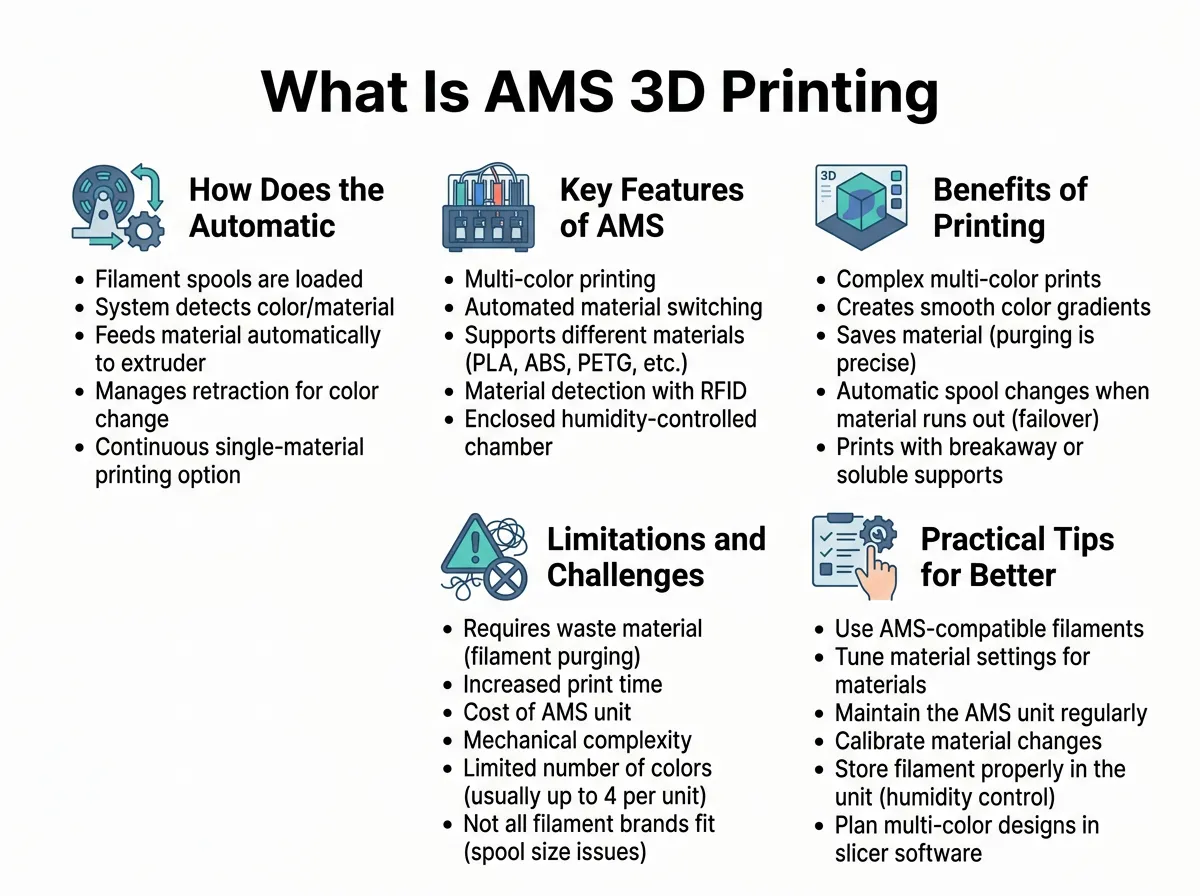
What Is AMS 3D Printing? — key points at a glance
Sealed Dry Box Design
3D printing plastic hates water. Wet plastic leads to weak, ugly prints. The AMS acts as a dry shield. It has rubber seals around the lid to keep wet air out. Inside, there are special pockets for desiccant packets. These packets soak up any moisture. This keeps your expensive plastic fresh and dry for weeks.
RFID Filament Detection
If you use official Bambu Lab plastic, the system gets even smarter. Each spool has a tiny RFID chip. The unit reads this chip automatically. It instantly knows the color of the plastic. It also knows the material type, like PLA or PETG. It sends this data to your computer screen. You do not have to type in any settings yourself.
Filament Runout Protection
Have you ever run out of plastic in the middle of a long print? It can ruin your whole project. This system has a great fix for that. You can put two identical spools in the unit. When the first spool runs dry, the system detects it. It instantly loads the second spool. Your print keeps going without stopping. This is perfect for overnight print jobs.
Benefits of Printing with an AMS
Using this system offers massive benefits for both beginners and experts. It takes the stress out of complex projects. For a deeper look into the mechanics, you can learn how multi-material printing works in detail. Here are some of the biggest perks you will enjoy.
Multi-Color Creativity Made Simple
The most obvious benefit is color. You can paint your 3D models on your computer screen. You can color eyes on a toy, add logos to a box, or make beautiful art. The printer does all the work. You just press start and watch the magic happen.
Seamless Support Material Removal
Sometimes you need to print shapes that hang in mid-air. You need support pillars to hold them up. But removing these pillars can leave ugly scars on your model. With this system, you can use a special support material for the interface layer. This material does not stick to your main plastic. When the print is done, the supports slide right off, leaving a perfectly smooth surface.
Reduced Human Error
Manual filament swaps are risky. You might pull too hard and move the printer. You might burn your fingers on the hot end. You might load the wrong color by mistake. The automatic system removes all these human errors. It does the job perfectly every single time.
Limitations and Challenges to Keep in Mind
No technology is perfect. While this system is amazing, it does have a few drawbacks. You should know about these before you buy one.
The Filament Waste Issue (Poop)
When the printer swaps colors, it must clean the nozzle. It does this by pushing out a small blob of plastic. This is called filament “poop.” If your print has hundreds of color changes, you will get a large pile of these tiny plastic curls. This waste can add up over time. It can also feel bad to throw away so much plastic.
Spool Compatibility Limits
The unit uses rollers to spin the spools. This means the spools must be a certain size and shape. Cardboard spools can sometimes slip on the rollers. They can also shed cardboard dust, which can clog the gears. Very wide or heavy spools might not fit inside the box at all.
Increased Print Times
Every color change takes time. The printer must stop, cut the filament, pull it back, push the new color in, and clear the nozzle. This can add a minute or two to each layer. If you have a print with many color changes on every layer, it can take twice as long to finish.
Practical Tips for Better AMS 3D Printing
Want to get the most out of your system? Here are some simple tips to keep your prints running smoothly and looking great.
- Use Spool Rings: If you have cardboard spools, buy or print plastic edge rings. These slide onto the cardboard edges. They help the rollers grip the spool and stop slipping.
- Tune Your Flush Volumes: The printer software lets you choose how much plastic to waste during swaps. If you change from white to black, you need a high flush volume. If you change from yellow to orange, you can use a low flush volume. Tuning these numbers saves plastic and time.
- Keep Your Desiccant Fresh: The dry packets inside the box do not last forever. They will get saturated with water. Check them every few months and replace them to keep your filament dry.
- Avoid Soft Materials: Do not load flexible plastics like TPU into the unit. These materials are too soft. They will bend and get stuck in the long feeding tubes. Always print TPU from a simple spool holder.
Conclusion
So, what is AMS 3D printing? It is a giant leap forward for creators. It turns a standard, single-color machine into a powerful, multi-colored tool. It keeps your plastic dry, switches spools when they are empty, and lets you print complex shapes with ease. While it does create some waste plastic and takes a bit more time, the creative freedom it offers is unmatched. If you want to make colorful toys, clean prototypes, or complex art, this system is a game changer. It makes the future of making things brighter, easier, and much more colorful.
Frequently Asked Questions
What materials can you use in the AMS?
You can use most rigid filaments like PLA, PETG, ABS, ASA, and special support materials. You must avoid flexible materials like TPU because they bend and clog the internal tubes easily.
How does the system know which color is which?
If you use official Bambu Lab spools, the built-in RFID reader scans the spool to detect the color and material automatically. For other brands, you can manually select the color and type in the printer software interface.
How do you stop cardboard spools from shedding dust inside the unit?
The best way to prevent cardboard dust is to use plastic adapter rings that snap onto the rims of the spools. Alternatively, you can transfer the filament onto a plastic spool or wrap the edges with electrical tape.
Why does the printer create waste plastic during color changes?
The printer must clear out the old color from the nozzle before starting the new color. This purging process prevents colors from mixing, which would make your print look muddy or faded.
Can the AMS work with other brands of 3D printers?
Currently, the AMS is designed to work exclusively with compatible Bambu Lab printers. It relies on the printer’s specific mainboard, toolhead cutter, and firmware to operate correctly.
How often do you need to change the desiccant inside?
This depends on how humid your room is, but generally, you should change the desiccant packets every two to six months. Many users print custom desiccant holders filled with color-changing silica gel to easily see when it needs to be dried or replaced.
