


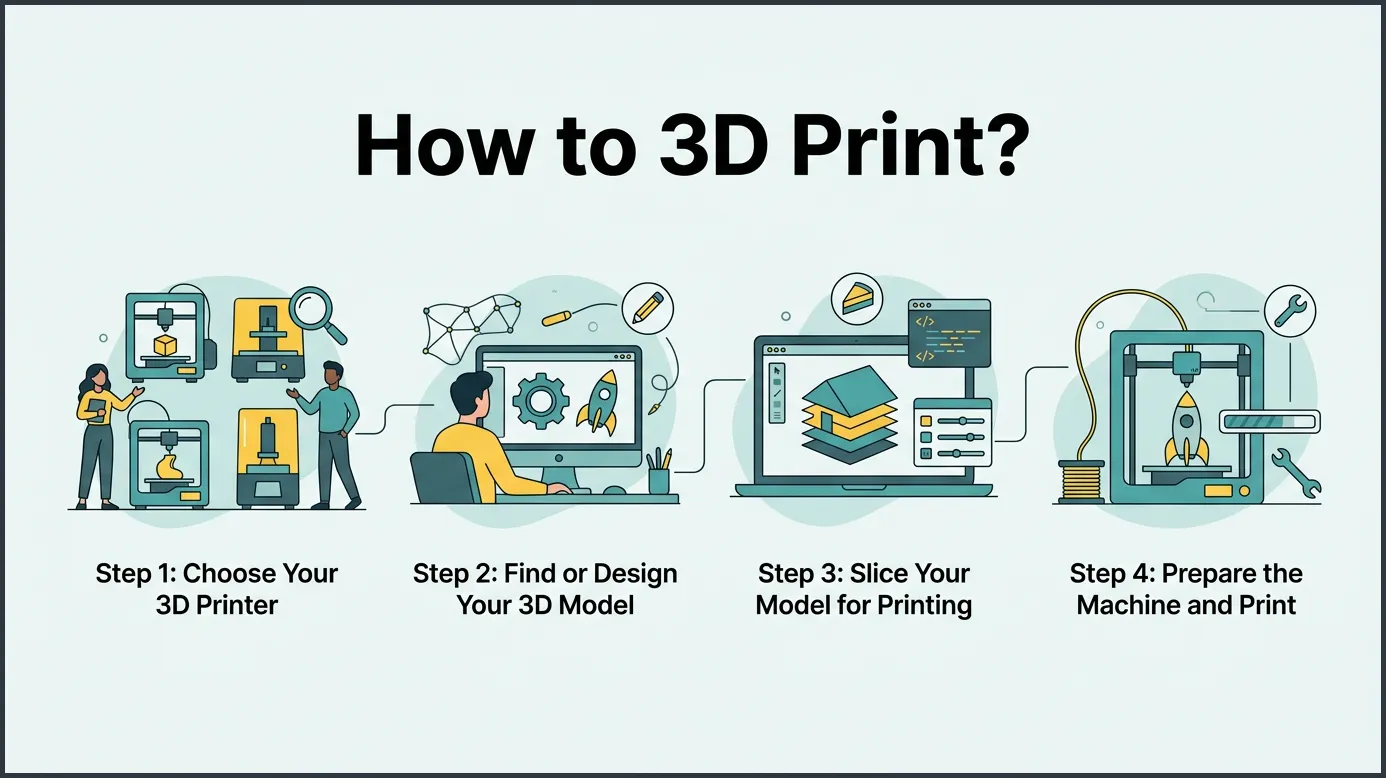
To learn how to 3D print, you need to follow three basic steps: obtain a digital 3D model, prepare it using slicing software, and send it to your 3D printer. This guide will walk you through choosing the right materials, setting up your machine, and troubleshooting common mistakes. With patience and practice, anyone can turn creative ideas into physical reality.
Have you ever wanted to make your own custom toys? Maybe you need a small plastic part to fix a broken shelf around your house. Or maybe you just want to try a fun new hobby that blends craft and technology. 3D printing makes all of this possible. It lets you create real physical items right from your office desk. If you want to learn how to 3D print, you are in the right place.
If you are looking to start, the process might seem scary at first. There are many strange terms to learn, like slicing, filament, and extrusion. You might wonder if you need to be a computer expert to get started. Good news: you do not! Anyone can learn this hobby with a bit of time and practice. This is why knowing how to 3D print is such a great skill in the modern world.
In this guide, we will break down the whole process into easy steps. We will cover the types of printers you can buy, how to find your files, and how to get your very first print to work. By the end, you will have a clear path to starting your own making journey. Let us look at how to 3D print by starting with the machine itself.
Key Takeaways
- Get a Model: You can download free files from online libraries or make your own designs using CAD software.
- Slicing is Key: Slicer software translates your 3D model into layers and code that the printer can understand.
- Choose Materials Wisely: Beginners should start with PLA plastic because it is cheap, easy to use, and does not smell bad.
- Level Your Bed: A flat, level print bed is crucial for getting your first layer to stick properly.
- Start Simple: Begin with small, easy projects to build confidence before moving to complex prints.
Quick Answers to Common Questions
Is 3D printing hard to learn?
3D printing is not hard to learn if you start with simple models and easy software. Most beginners can get their first successful print within a single afternoon.
What is the best filament for beginners?
PLA plastic is the best filament for beginners because it is cheap, prints at low temperatures, and does not warp easily. It also does not emit toxic fumes during printing.
How much does a beginner 3D printer cost?
A reliable entry-level 3D printer usually costs between one hundred and three hundred dollars. These cheap models are great for learning the basics of the hobby.
Can you 3D print without a computer?
You need a computer to slice and prepare your 3D files. However, you can save the final file onto an SD card and run the printer without keeping it plugged into your computer.
Is 3D printing safe to do indoors?
Yes, printing with PLA plastic is generally safe indoors if you have a window open. You should avoid printing with resin or ABS plastic without heavy ventilation because of bad fumes.
📑 Table of Contents
Step 1: Choose Your 3D Printer
To start, you need a machine. There are two main types of printers that beginners use at home. Each has its own pros and cons, and your choice depends on what you want to make.
Filament Printers (FDM)
FDM stands for Fused Deposition Modeling. These printers use a roll of plastic string called filament. The printer melts the plastic and squeezes it out of a hot metal nozzle. It draws your item layer by layer, from the bottom up. FDM printers are cheap, easy to use, and great for making large items. If you want a simple way to learn how to 3D print, start here. It is the most common path for beginners.
Resin Printers (SLA)
SLA printers use liquid resin instead of plastic string. A bright light under a clear vat cures the liquid resin into hard plastic. These printers make very smooth models with high detail. They are perfect for small figures, tabletop gaming models, and jewelry. However, resin is messy and has strong fumes. If you want to know how to 3D print with resin, prepare your work space with good ventilation first. You also need to wash and cure the parts after printing.
Step 2: Find or Design Your 3D Model
A 3D printer cannot work without a digital plan. This plan is called a 3D model, and it lives on your computer. You can get these files in two ways, depending on your skill level.
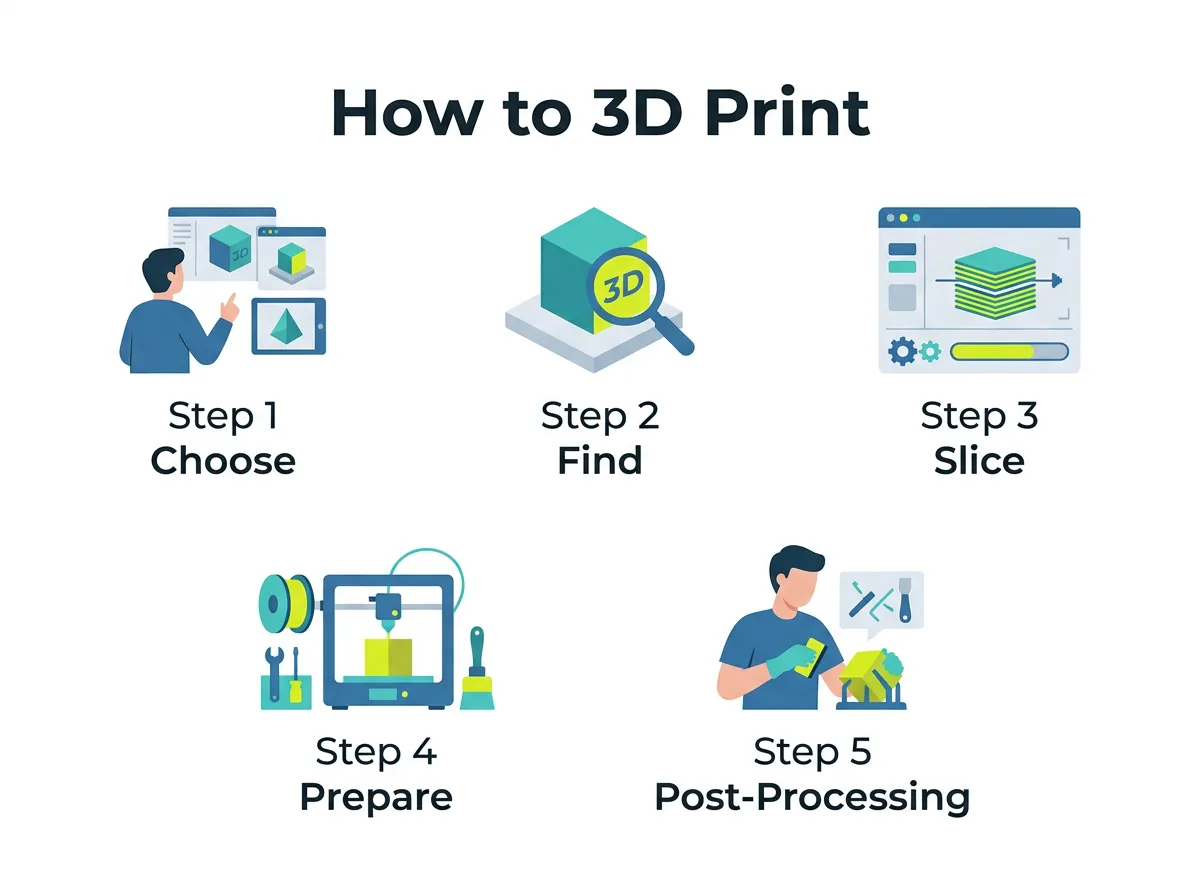
How to 3D Print? — key points at a glance
Downloading Ready-Made Files
You do not have to design anything to start printing today. There are free websites where creators share their files. Sites like Printables or Thingiverse have millions of models you can download for free. To learn the basics, check out this 3D printing basics guide. Downloading files is the fastest way to learn how to 3D print without any design skills.
Creating Your Own Designs
If you want to make something unique, you can design your own. You can use free web tools like Tinkercad to build simple shapes. As you get better, you can try advanced design software. If you want to make custom parts, learning to design your own 3D models is a highly rewarding skill. Once you master how to 3D print your own designs, you can repair your home goods with custom fixes.
Step 3: Slice Your Model for Printing
Once you have a 3D file, you cannot just send it to the printer yet. The printer does not know what a 3D shape is. It only knows how to move left, right, up, and down. This is where a slicer comes in.
What is a Slicer?
A slicer is a program on your computer. It takes your 3D model and cuts it into thousands of thin, flat layers. Then, it creates a list of commands for your printer. This list is called G-code. The G-code tells the printer how fast to move, how hot to get, and where to put the plastic. It is the core of how to 3D print successfully. Without a slicer, your printer is just a box of metal parts.
Essential Slicer Settings
When you slice a file, you can change many settings. Layer height controls how detailed your print will be. Thinner layers look better but take much longer. Infill density controls how solid the inside of your object is. You do not need to print solid plastic. An infill of fifteen percent is usually enough to make strong parts. This is the secret to how to 3D print big items without wasting plastic.
Step 4: Prepare the Machine and Print
Now it is time to get your hands dirty. Before you hit the start button, you must prepare your printer. These steps are a vital part of the beginners guide to 3D printing.
Bed Leveling Tips
The most important step is bed leveling. The print bed must be flat and at the exact same distance from the nozzle at every point. If the bed is too low, the plastic will not stick and will make a messy ball of plastic. If the bed is too high, the nozzle will scratch the bed. You can use a thin piece of paper to feel the gap between the nozzle and the bed. It should have just a little bit of drag when you slide the paper.
Loading the Filament
Next, heat up your printer nozzle. Cut the end of your plastic filament at an angle. This shape helps it slide into the feeding tube easily. Feed the plastic until some melted plastic squeezes out of the nozzle. Make sure to clean the tip before you start printing. Now you are ready to hit print and watch the magic happen.
Step 5: Post-Processing and Troubleshooting
Your print is finally done! But your job is not quite finished yet. You must remove the print from the bed safely and make it look clean and neat.
Cleaning Your Print
Sometimes, you need to use support structures to print parts that hang in mid-air. You must pull these plastic supports off after printing. You can use small pliers to do this carefully. You can also use fine sandpaper to smooth out any rough spots. If you want a deep dive into cleaning, check out this step-by-step printing guide to see how experts polish their final prints.
Solving Common Printing Problems
You will make mistakes when learning how to 3D print. This is normal! If your print curls up at the corners, this is called warping. Try using a glue stick on your bed to help it stick better. If you see thin plastic hairs on your model, this is called stringing. Try lowering your printing temperature slightly or raising the retraction speed in your slicer.
Step 6: Cool Projects for Beginners
What should you make first? Do not start with a giant, complex robot. Start small to build your skills and avoid waste.
Great First Prints
A simple test cube is the best first print. It is quick and helps you see if your machine is set up right. A small toy boat called “3DBenchy” is another classic. It is a fun toy that tests all the limits of your printer. You can also print cable clips, small bowls, or simple toys. These quick wins will keep you excited as you master how to 3D print and try harder designs.
Conclusion
Learning how to 3D print is a fun journey. It takes some time, a bit of testing, and some patience. But the feeling of holding something you made with your own hands is worth all the work. Start with cheap materials like PLA, level your bed carefully, and do not fear mistakes. Each failed print is just a lesson on your way to becoming a maker. Now, get out there and start creating!
Frequently Asked Questions
How long does it take to print a 3D object?
The time it takes depends entirely on the size and detail of the object. A small coin might take fifteen minutes, while a large mask can take over twenty hours. You can adjust the speed settings in your slicing software to make prints finish faster.
Can I print metal items with a home 3D printer?
Most home printers cannot melt real metal because they do not get hot enough. However, you can buy special filament that has metal dust mixed with plastic to give your prints a heavy, metallic look. True metal printing is mostly done by large industrial machines.
Why is my 3D print not sticking to the bed?
This issue usually happens because your print bed is not flat or the nozzle is too far from the build plate. Clean your bed with isopropyl alcohol to remove finger oils that block stickiness. You can also use a glue stick or hairspray on the bed to help the plastic stick.
Where can I find free 3D models to print?
There are many online libraries where creators share their digital files for free. Websites like Thingiverse, Printables, and MyMiniFactory offer millions of user-made designs. You can search these sites, download the files, and slice them immediately.
Do I need to be good at drawing to 3D print?
No, you do not need any drawing skills at all. You can easily download files made by other people online to print whatever you want. If you do want to design your own items, simple block-based tools make it very easy to learn.
Can you reuse failed 3D prints?
You can recycle failed prints, but it requires special machines to melt and extrude the plastic back into new filament. Most hobbyists store their waste plastic in bins hoping to recycle it later. For now, the best way to save plastic is to check your settings before printing.
