



A STEP file is a universal 3D CAD file format used to share 3D models between different design programs. It saves the entire 3D geometry of a model as high-quality mathematical data rather than basic meshes. This makes it the industry standard for engineers, manufacturers, and designers who need to collaborate without losing detail.
Imagine you just spent three days designing a beautiful 3D bracket. You are excited to send it to a local machine shop for manufacturing. You hit send, but ten minutes later, you get an email back. The machinist says they cannot open your file format and asks if you can send a STEP file instead. This is an incredibly common scenario in the world of 3D modeling, engineering, and manufacturing.
If you have ever run into this digital roadblock, you might find yourself asking, what is a STEP file? In this guide, we will break down everything you need to know about this highly useful 3D format. We will look at how it works, why it is so popular, and how you can open or export one.
Key Takeaways
- Universal Compatibility: It acts as a bridge, letting different CAD programs talk to each other without error.
- High Precision: It saves designs using exact mathematical curves, not rough polygonal meshes.
- Editable Format: Unlike static mesh files, you can fully edit the geometry of a STEP file.
- Industry Standard: It is officially recognized under the ISO 10303 standard for product data exchange.
- Dual Extensions: You will see these files saved as either .step or .stp.
Quick Answers to Common Questions
What is the difference between a STEP file and an STP file?
There is no difference between them. They are the exact same file format, with the only variation being the three-letter or four-letter extension.
Can I open a STEP file in AutoCAD?
Yes, you can easily import and open STEP files in AutoCAD using the standard import command. This allows you to work with 3D solid models directly inside the software.
Can you 3D print directly from a STEP file?
No, most 3D printers require mesh formats like STL or 3MF. You must first open the STEP file in a CAD program or slicing software and export it to a mesh format before printing.
Why does my STEP file not have any colors?
This happens because the file was likely saved using the older AP203 protocol, which does not store color data. Exporting your file using the newer AP214 or AP242 protocols will preserve your color information.
Is a STEP file vector-based?
Yes, it is a vector-based 3D format because it uses mathematical formulas to define shapes, lines, and curves rather than pixel-based or mesh-based coordinates.
📑 Table of Contents
What Is a STEP File and Where Did It Come From?
A STEP file is a widely used 3D computer-aided design (CAD) file format. The letters stand for “Standard for the Exchange of Product Model Data.” Back in the early days of CAD, every software program spoke its own unique language. If you designed a part in one program, you could not open it in another. To solve this digital language barrier, the International Organization for Standardization (ISO) stepped in.
The ISO Standard
They developed a standard known as ISO 10303. This standard allows different computers and software platforms to share 3D models without losing any critical data. Today, the most common version of this format is stored as an ASCII text file, which you can read about in this detailed ISO 10303-21 technical overview. Because of this open standard, you do not have to worry about software lock-in anymore.
STP vs. STEP Extensions
When you save or download these files, you will notice they usually end in either .step or .stp. Do not let this confuse you. These two file extensions are completely identical. They contain the exact same data. The only reason we have two names is a legacy limitation from older Windows operating systems, which only allowed three-letter file extensions.
How Does a STEP File Work?
To truly appreciate this file format, it helps to understand how it saves your 3D models. Most basic 3D files, like STLs, save shapes as a collection of tiny flat triangles. This is called a polygonal mesh. If you zoom in close enough on a curved mesh, you will start to see flat, blocky edges.
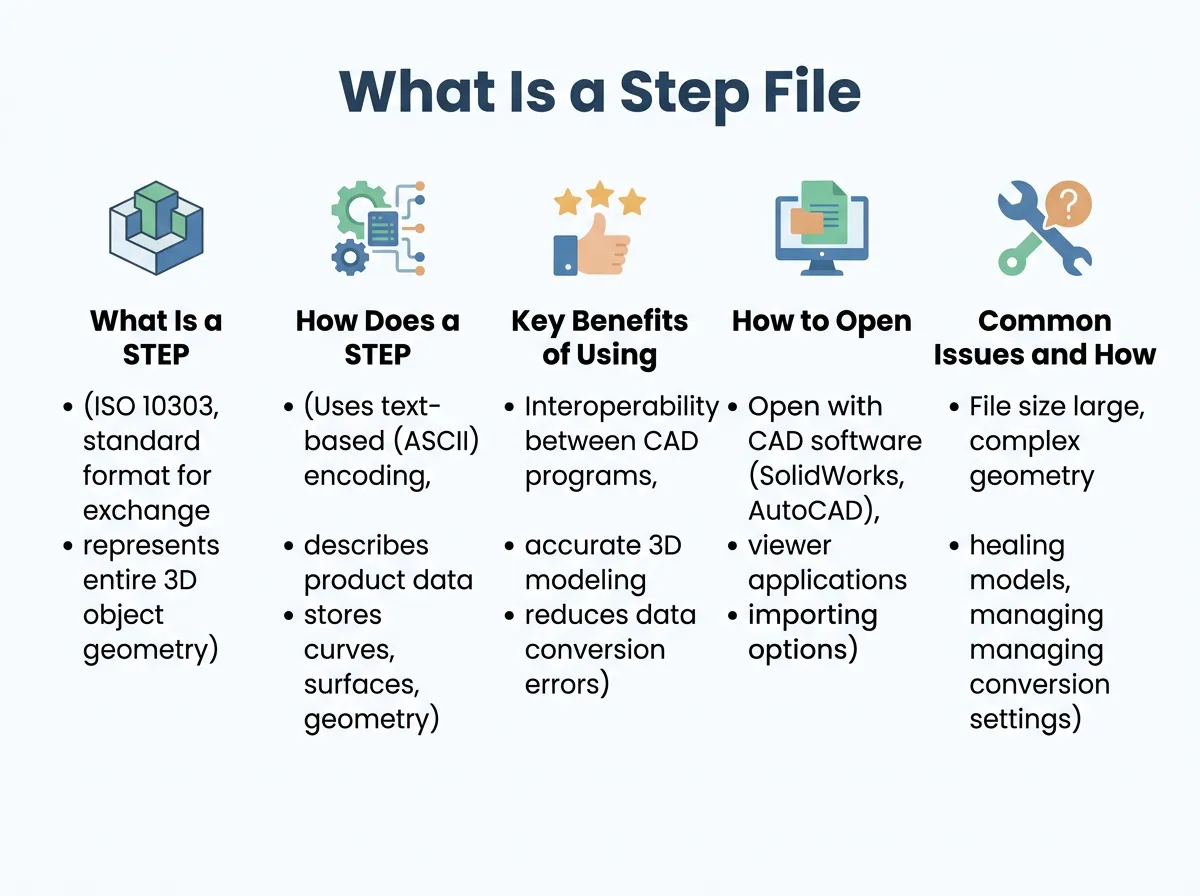
What Is a Step File? — key points at a glance
Mathematical Precision (B-Rep)
A STEP file does not use triangles. Instead, it uses a system called Boundary Representation, or B-Rep for short. This method saves your 3D models as pure mathematical formulas. If you design a perfect cylinder, a STEP file saves the exact mathematical radius and length. No matter how much you zoom in, the curves remain perfectly smooth and mathematically precise.
Solid Models vs. Mesh Files
Because it uses math instead of meshes, a STEP file is a solid model. This means CAD software knows exactly where the inside and the outside of the object are. This allows engineers to run physical simulations, calculate weight, and perform stress tests. You can read more about these structural differences in this comprehensive STP file glossary.
Key Benefits of Using STEP Files
Why has this format become the absolute go-to choice for manufacturing and high-end design? Let us look at the top reasons.
Universal Compatibility
The biggest benefit is compatibility. Whether you are using SolidWorks, Autodesk Inventor, Fusion 360, or AutoCAD, they can all read and write STEP files. It acts as a universal bridge, making it incredibly easy to share files with external clients, manufacturers, and partners. For a deeper dive into how this bridges the gap between systems, check out this technical guide to STEP files.
Full Editability
If you import a mesh file into CAD software, it is very hard to edit. You cannot easily change the diameter of a hole or move a face. With a STEP file, your software recognizes the individual features. You can click on a hole, change its dimension, or extrude a surface as if you designed it in that program from scratch.
Compact and Clean
Despite saving complex mathematical data, these files are often surprisingly compact. They keep your design history clean and focus on the final solid geometry. This makes them easy to email or upload to cloud storage.
How to Open and Edit a STEP File
Opening one of these files is surprisingly easy because almost every 3D tool supports them. You do not always need an expensive CAD license to see what is inside.
Free Online Viewers
If you just need to inspect a part or show it to a client, you can use free web-based viewers. Many online tools let you drag and drop your file directly into a web browser. You can rotate, zoom, and measure the model without installing any software. To learn more about the best ways to open these documents, you can check out this guide on how to view and create STEP files.
Professional CAD Software
For editing, you will want to use a dedicated CAD system. Programs like Autodesk Fusion 360, SolidWorks, Onshape, and Shapr3D are perfect for this. Simply open the program, click “Import” or “Open,” and select your file. The software will automatically translate the mathematical formulas into editable 3D solids.
Common Issues and How to Troubleshoot Them
While the format is incredibly reliable, you might occasionally run into a few common hiccups. Here is how to solve them.
Missing Colors or Textures
Sometimes you open a file and notice all your beautiful colors are gone, leaving you with a boring grey model. This happens because some older export protocols do not save visual appearance data. To fix this, make sure to export using the AP242 protocol, which supports colors, layers, and annotations.
Broken Surfaces or Gaps
If a file was exported from a low-quality CAD program, you might find tiny gaps between surfaces when you import it. Most modern CAD software has a “heal” or “stitch” tool. This tool automatically finds these gaps and glues the edges back together to make the model solid again.
Slow Loading Times
If you are importing an incredibly massive assembly with thousands of individual parts, your computer might slow down. In this case, try to open sub-assemblies separately, or ask the sender to simplify the model before exporting.
Best Practices for Exporting STEP Files
When you are ready to share your own hard work, follow these simple tips to ensure the recipient has a great experience.
Choose the Right Protocol
When exporting, your software might ask you to choose a specific application protocol. AP203 is the oldest and most basic. AP214 is great because it includes colors and layers. AP242 is the newest and most advanced, combining the best of both worlds. When in doubt, AP214 is usually the safest bet for maximum compatibility.
Clean Up Your Workspace
Before exporting, delete any unused construction planes, sketch lines, or hidden reference geometry. This keeps the file size small and prevents the recipient from getting confused by stray lines floating in space.
Conclusion
Understanding what is a STEP file can save you hours of frustration when sharing 3D designs. It bridges the gap between different CAD tools, preserves perfect mathematical accuracy, and keeps your designs fully editable. Whether you are an engineer sending parts to a machine shop, or a designer collaborating with a global team, this format is an indispensable tool in your digital toolkit. Now that you know how it works, you can confidently share, view, and edit your 3D models across any platform.
Frequently Asked Questions
Are STEP files editable?
Yes, they are highly editable. When you import them into modern CAD software, the system recognizes the solid geometry, allowing you to easily modify dimensions, faces, and features.
Which software can open a STEP file?
Almost all professional CAD applications can open them, including SolidWorks, Autodesk Fusion 360, AutoCAD, and FreeCAD. There are also many free online viewers available if you only need to look at the model.
What is the difference between STEP and STL files?
STEP files use mathematical formulas to create perfect, smooth curves and solid geometry, making them ideal for engineering and editing. STL files use a collection of flat triangles to approximate shapes, which is perfect for 3D printing but very hard to edit.
What does STEP stand for?
STEP stands for Standard for the Exchange of Product Model Data. It was created by the International Organization for Standardization (ISO) to make sharing 3D data between different software programs easier.
Which export protocol should I choose: AP203, AP214, or AP242?
You should generally choose AP214 if you want to preserve colors and layers with maximum compatibility. If you need advanced manufacturing information and annotations, choose AP242, while AP203 is best kept for very basic geometric data.
Can you convert a STEP file to an STL file?
Yes, you can easily convert it. Simply open your STEP file in any modern CAD software or slicing program and select the “Export” or “Save As” option, choosing STL as your file format.
