


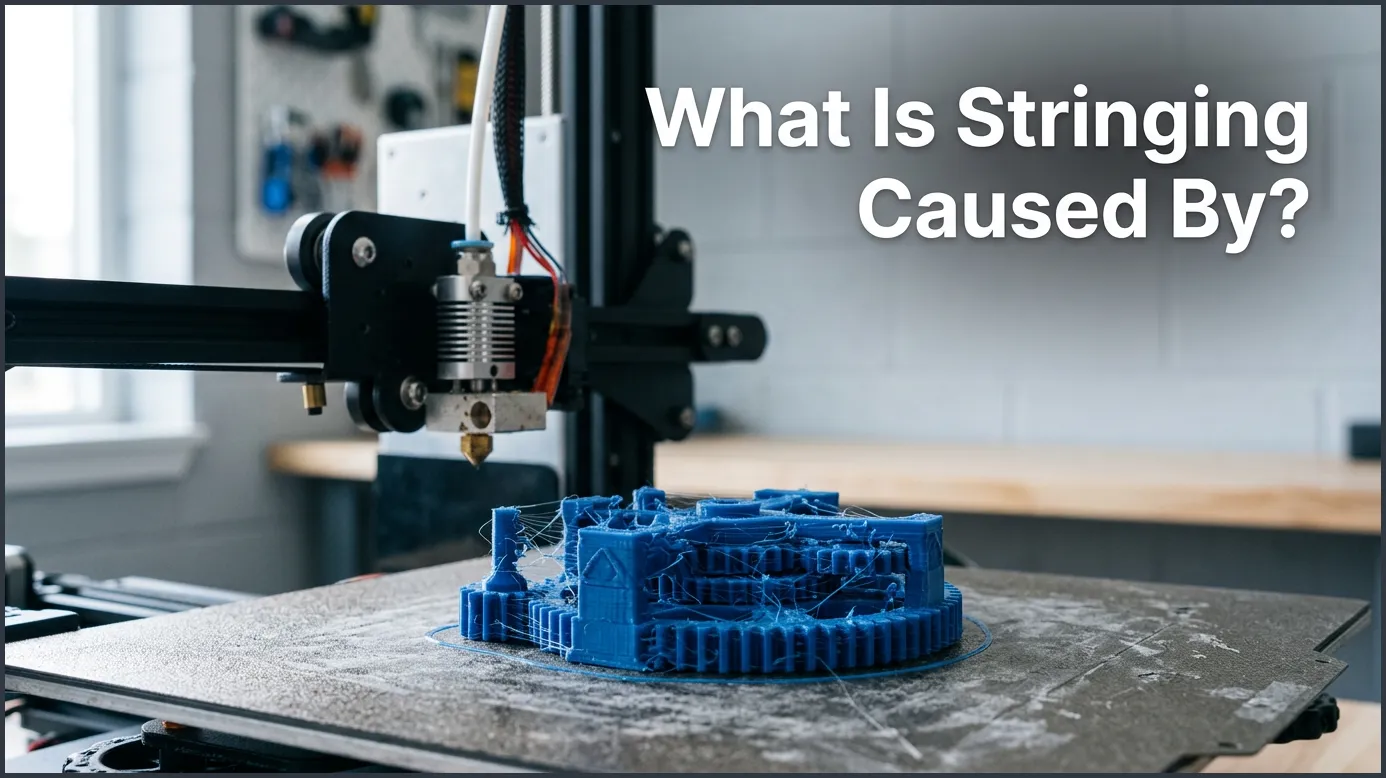
3D print stringing is primarily caused by wet filament, incorrect retraction settings, and excessive nozzle temperatures. When the extruder moves across open space, molten plastic leaks from the hotend and leaves behind thin, spiderweb-like threads. Adjusting your slicer settings and keeping your filament dry can quickly eliminate this frustrating problem.
Imagine waiting hours for your latest 3D masterpiece to finish. You walk over to your printer, expecting a clean, smooth model. Instead, you find a plastic object covered in fuzzy, hairy webs. It looks like a spider decided to move into your printer overnight. This annoying issue is known as stringing, hairy prints, or oozing. It is one of the most common problems that makers face, regardless of their experience level.
While it is frustrating, you do not need to throw your print away or hide your printer in the closet. Almost every 3D printing enthusiast deals with this. The good news is that this problem is highly preventable once you understand the physics behind it. By looking closely at how your slicer settings and materials work together, you can clean up your prints for good.
In this guide, we will dive deep into the heart of this issue. We will answer the question: what is stringing caused by? We will look at why molten plastic behaves this way, examine the root causes, and walk through simple steps to solve the issue. Let us get started and turn those fuzzy prints into smooth, professional models.
Key Takeaways
- Retraction is critical: Incorrect retraction distance or speed lets liquid plastic leak out during travel moves.
- High heat ruins prints: Printing at too high of a temperature makes plastic extra runny and prone to dripping.
- Moisture is a hidden enemy: Wet filament turns to steam inside the nozzle, creating pressure that forces plastic out.
- Travel speed matters: Slow travel moves give the plastic more time to ooze out of the nozzle onto your model.
- Advanced slicer tricks help: Enabling features like coasting and wiping can clean up remaining hairs automatically.
Quick Answers to Common Questions
Does wet filament always cause stringing?
Yes, wet filament almost always causes stringing because moisture inside the plastic turns into steam, creating pressure that forces plastic out of the nozzle.
What is the best temperature to stop stringing?
There is no single best temperature, but lowering your nozzle temperature by 5 to 10 degrees Celsius within your filament’s recommended range usually reduces oozing.
Should I increase retraction speed or distance first?
You should adjust retraction distance first to ensure the filament pulls back far enough, then fine-tune the speed to prevent oozing without grinding the plastic.
How do I know if my nozzle is worn out?
A worn nozzle often has an uneven tip or a wider opening than its original size, which leads to unpredictable plastic flow and increased stringing.
Can print cooling fan speed affect stringing?
Yes, keeping your cooling fan running at the recommended speed helps solidify the plastic instantly as it leaves the nozzle, preventing fine hairs from forming.
📑 Table of Contents
Understanding the Mechanics of Stringing
To fix the issue, we first need to understand what is happening inside your printer. During a print, the hotend melts plastic filament and pushes it through a tiny nozzle. When the printer finishes drawing one part of your model, it must move to another area without printing. This move across open space is called a travel move.
Ideally, no plastic should leave the nozzle during a travel move. The extruder should stop pushing, and the plastic should stay put. However, gravity, pressure, and heat do not always play nice. If there is still liquid plastic sitting in the hot nozzle, it can slowly drip out. As the nozzle moves, this dripping plastic stretches out into a super-thin hair. If you want to learn more about the visual signs of this issue, check out this detailed print quality guide by Simplify3D.
What Is Stringing Caused By? The Main Culprits
If you are asking yourself, what is stringing caused by, the answer usually comes down to three main factors: temperature, retraction, and moisture. Let us look at each of these in detail to see how they ruin your prints.
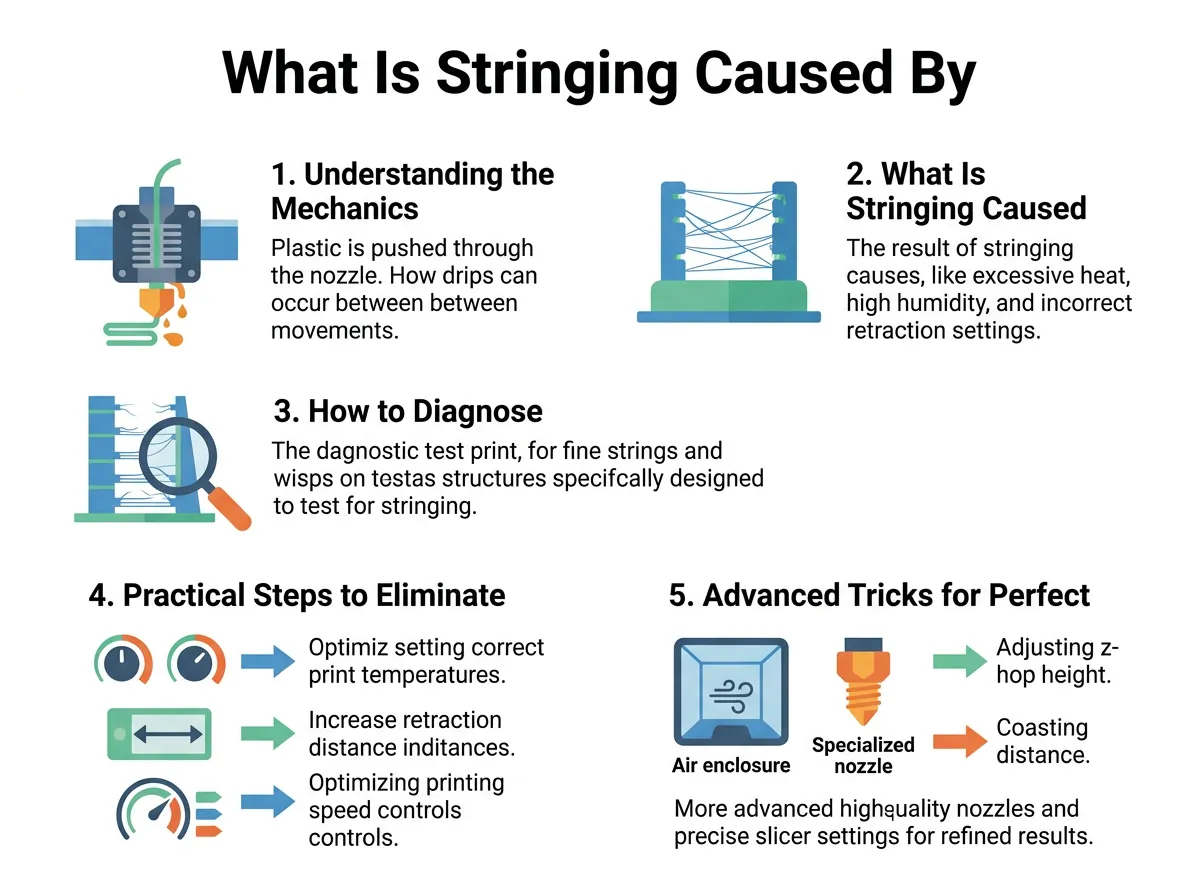
What Is Stringing Caused By? — key points at a glance
1. Incorrect Retraction Settings
Retraction is your printer’s primary weapon against oozing. When the printer finishes a line and prepares to move, it pulls the filament backward slightly. This pull relieves the pressure inside the nozzle and stops the flow of plastic. If your retraction distance is too short, the pressure is not relieved, and the plastic drips out. On the other hand, if your retraction speed is too slow, the plastic has too much time to leak before the pullback is complete. Finding the sweet spot between retraction distance and speed is essential to prevent these unwanted hairs.
2. High Nozzle Temperatures
When asking what is stringing caused by, you must always check your printing temperature. Every type of plastic has a recommended temperature range. If you print at the very top of this range, or even higher, the plastic becomes extremely runny. Thin, liquid plastic escapes the nozzle much easier than thick, gooey plastic. Lowering your temperature makes the plastic more viscous, meaning it holds its shape better and is less likely to drip during travel moves.
3. Wet Filament and Moisture
Many people do not realize that 3D printing filaments are like little sponges. They absorb water from the surrounding air. When wet filament enters the hot nozzle, the trapped water instantly boils and turns to steam. This steam creates tiny explosions and pressure inside the hotend. This steam pressure pushes molten plastic out of the nozzle, even if your retraction settings are perfect. Understanding how moisture ruins your filament is key to solving persistent oozing issues.
4. Slow Travel Speeds
The speed at which your nozzle moves between print areas matters a lot. If your printer takes its time moving from point A to point B, gravity has more time to pull liquid plastic out of the nozzle. By increasing your travel speed, you give the nozzle less time to drip. Fast travel moves snap the filament path cleanly, leaving less chance for strings to form.
How to Diagnose Your Printer’s Stringing
Before you start changing every setting in your slicer, it helps to run a controlled test. Making random changes can make things worse. Instead, you should print a dedicated test model. These are usually small towers or cones placed a few centimeters apart.
As the nozzle moves back and forth between these towers, any oozing will show up as strings. If you see heavy web-like patterns near the bottom, your temperature might be too high. If you see strings only on one side, it could be a cooling fan issue. By analyzing these test prints, you can pinpoint exactly what is stringing caused by on your specific machine. You can find helpful visual guides and advice on Bambu Lab’s wiki on print quality to help you compare your test results.
Practical Steps to Eliminate 3D Print Stringing
Now that you know the answers to what is stringing caused by, let us look at how to fix it. Follow these steps in order to systematically clear up your prints.
Step 1: Dry Your Filament
Always start by drying your filament. Even brand-new, vacuum-sealed spools can contain moisture from the factory. If you hear popping or sizzling noises while printing, your filament is definitely wet. You can dry your spool using a dedicated filament dryer, a food dehydrator, or even a warm oven if you are very careful. For more detailed tips on keeping your materials dry, check out Sunlu’s 3D printing guide.
Step 2: Adjust Retraction Distance and Speed
Next, open your slicer and look at your retraction settings. If you use a Direct Drive extruder, your retraction distance should be short, usually between 0.5 mm and 1.5 mm. If you use a Bowden tube setup, where the extruder is separated from the toolhead, you need a longer distance, typically between 3 mm and 6 mm. Try increasing your retraction distance by 0.5 mm increments to see if the strings disappear. Be careful not to set it too high, as this can cause clogs.
Step 3: Lower Your Printing Temperature
If drying your filament and adjusting retraction does not work, try lowering your hotend temperature. Drop the temperature by 5 degrees Celsius at a time. Watch the print quality closely. You want to find the lowest temperature that still allows the layers to stick together strongly. If you go too low, your extruder might start skipping, or your layers might peel apart easily.
Advanced Tricks for Perfect Prints
If you have tried the basics and still see minor hair-like strings, you can use advanced slicer features to clean things up.
Enable Coasting
Coasting is a clever slicer feature that stops pushing filament just before a line ends. The printer uses the remaining pressure in the nozzle to finish the path. This naturally relieves nozzle pressure before the travel move even begins, preventing drips.
Enable Wiping
Wiping moves the nozzle slightly inward over the printed model before starting a travel move. Think of it like wiping your feet on a doormat. It wipes any excess plastic off the nozzle onto the inside of your print, where it cannot be seen.
Maintain Your Nozzle
Sometimes, the issue is not your settings at all. Over time, brass nozzles can wear out, or plastic can bake onto the outside of the tip. This burnt plastic acts like a magnet for fresh filament, pulling it out and causing strings. Clean the outside of your nozzle with a wire brush while it is hot, or replace it if it is old.
Conclusion
So, what is stringing caused by? In short, it is caused by hot, wet, or unretracted plastic escaping the nozzle during travel moves. It can seem like a complex mystery, but it is highly manageable. By drying your filament, dialing in your retraction settings, and tuning your print temperatures, you can eliminate those annoying plastic hairs. Take your time, change one setting at a time, and soon your 3D printer will produce the smooth, professional parts you deserve.
Frequently Asked Questions
What is the most common reason for 3D print stringing?
The most common reason is incorrect retraction settings. If the printer does not pull the filament back far enough or fast enough during travel moves, gravity pulls the hot plastic out, leaving thin webs behind.
Can cheap filament cause more stringing?
Yes, cheap filament can cause more stringing because it may have inconsistent diameters or absorb moisture much faster than high-quality brands. Consistent filament diameter is crucial for clean retraction moves.
What is the difference between stringing and ghosting?
Stringing is the formation of thin plastic hairs between parts of your print during travel moves. Ghosting, on the other hand, is a visual ringing pattern on the surface of your model caused by printer vibrations.
Is it safe to use a heat gun to remove strings?
Yes, using a heat gun or a hair dryer on a low setting is a very common way to remove fine strings. The gentle heat shrinks and melts the hairs away without damaging the main structure of your 3D print.
How does travel speed affect oozing?
A slower travel speed gives molten plastic more time to drip out of the hot nozzle during a move. Increasing your travel speed ensures the nozzle moves quickly across gaps, minimizing drip time.
Why does PETG string more than PLA?
PETG tends to string more than PLA because it is a stickier material with a higher melting point, making it more prone to sticking to the nozzle and stretching into hairs. It also absorbs moisture from the air much faster than PLA does.
